Every clause in the fine print, tracked.
BonusLedger covers the full life of a bonus account: the offer, the requirements, the reminders, the payout, the fees, the close, the 1099, and the reopen. Here is all of it.
Requirements
Model the offer exactly as the bank wrote it.
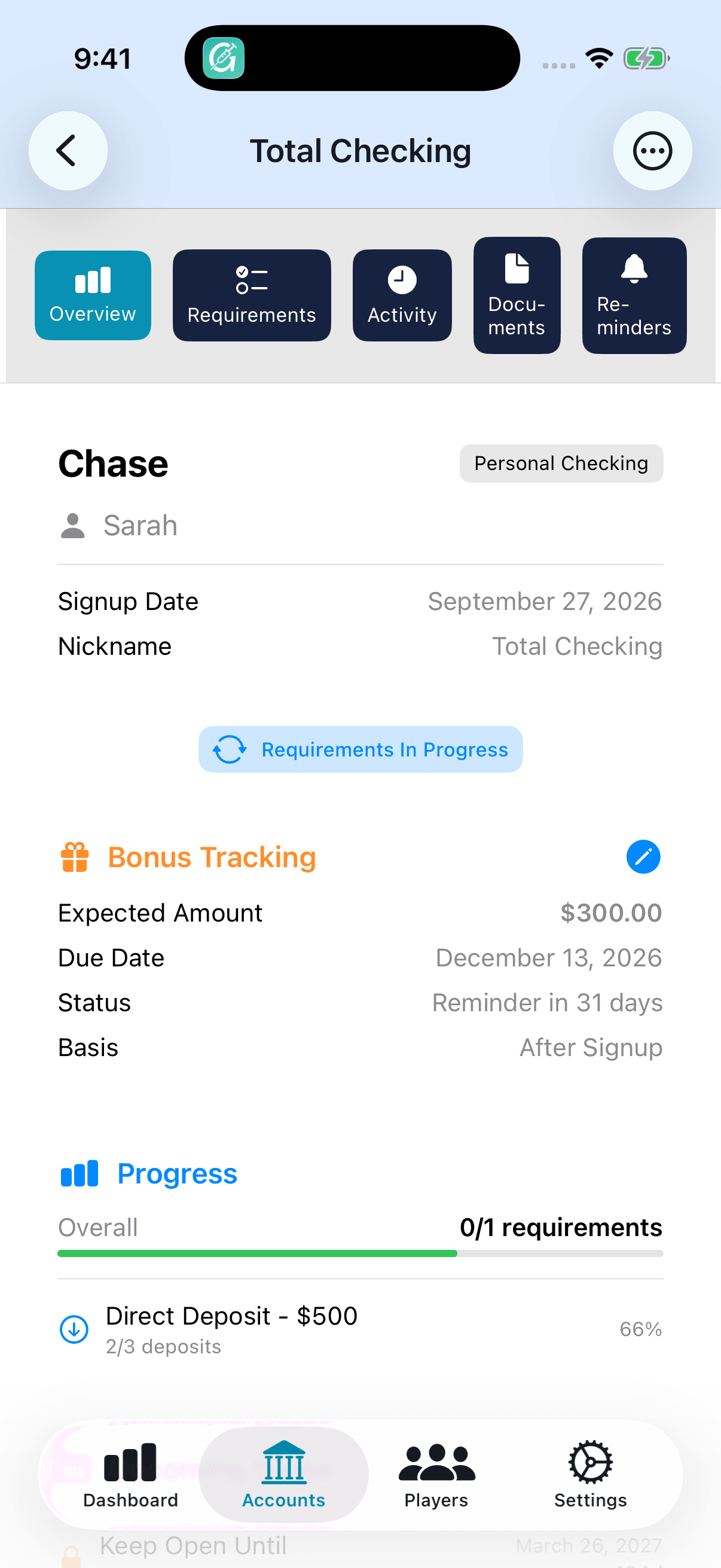
Every bonus has its own fine print. BonusLedger has a requirement type for each clause, and progress is calculated from the events you log rather than a checkbox you remember to tick.
Direct deposits
Minimum amount, number of deposits, months needed, consecutive-month rules, and cadence (weekly, biweekly, monthly, quarterly, annual).
Balance holds
Target balance, deposit-by deadline, and hold duration, with time-based progress so you can see the hold counting down.
Debit transactions
Count-based progress with a minimum per transaction, so ten $1 swipes do not count when the bank says they will not.
Initial funding and custom
Opening-deposit requirements and a free-form type for anything else a bank dreams up.
Bonus target dates
Calculated from signup or from the day requirements are met, with a user-confirmed override when the bank tells you something different.
Activity timeline
Every deposit, transaction, fee, note, and payout in one chronological record per account.
New in 1.1
Know when it is safe to close, and what it really earned.
Early-closure fees and monthly service charges quietly eat bonuses. Version 1.1 tracks the terms, warns you, and shows earnings net of fees when you want them that way.
Safe-to-close dates
Enter the bank's minimum open period and the account shows Keep Open Until, then Safe to Close. Override the date if the bank tells you otherwise.
Early-closure warnings
Closing an account before the safe date shows the fee you would pay, and a reminder fires on the day it becomes safe.
Fee events
Log monthly service fees and early-closure fees as dated events. Each account shows Fees Paid and Net Bonus.
Earnings net of fees
An optional setting deducts fees from dashboard totals, charts, and reports. Tax summaries always stay gross.
Fine-print scanning
Offer screenshot scanning now picks up monthly fees, early-closure fees, and minimum open periods.
CSV columns to match
Exports and imports carry the new fee and closing columns, and the events CSV accepts fees.
Reminders
Nudges that arrive before the deadline, not after.
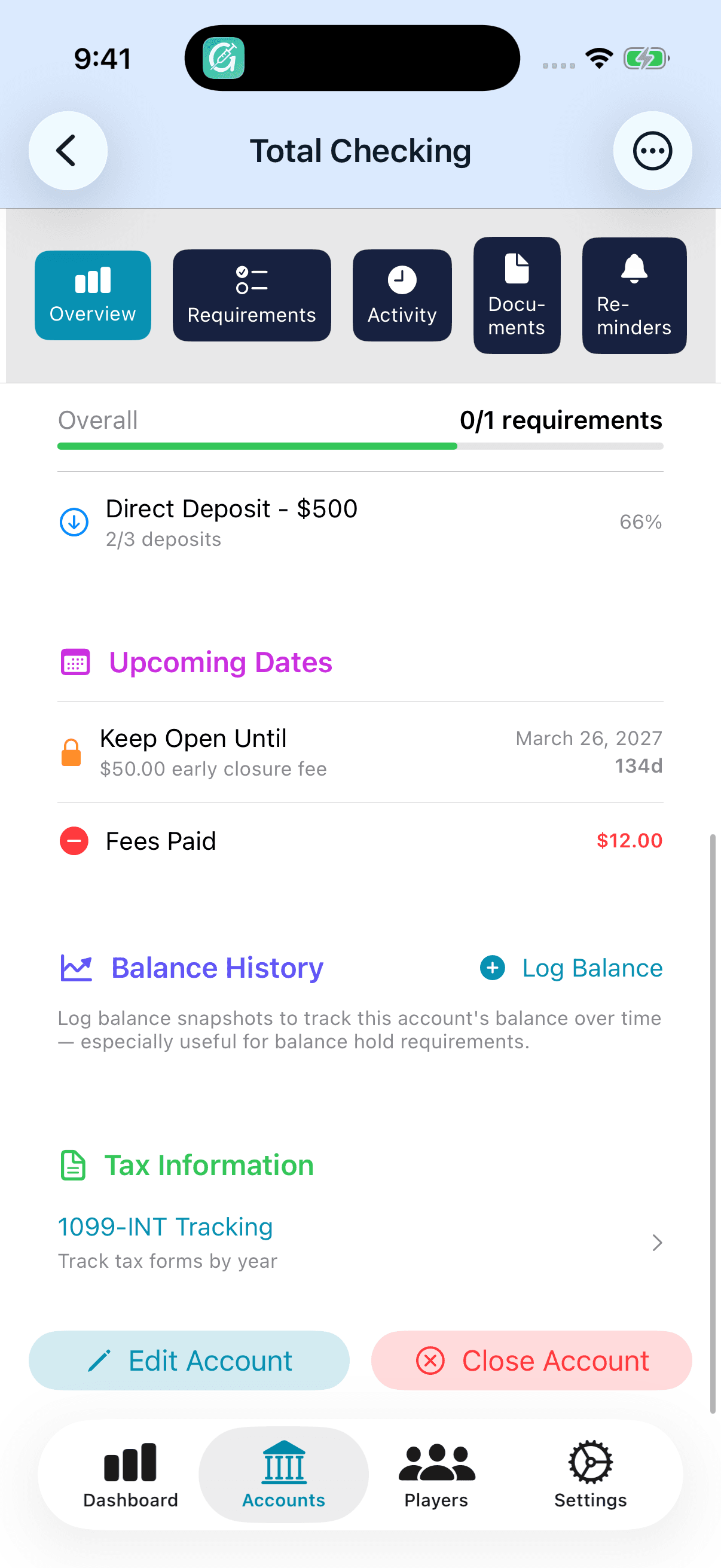
iOS lets an app schedule only 64 notifications at a time. BonusLedger ranks every reminder by urgency so the ones that matter are always scheduled, however many accounts you track.
Four-tier priority
Critical, high, medium, and low priorities are recalculated as dates approach, so a due-tomorrow bonus always outranks a far-off reopen date.
Automatic reminders
Created for bonus deadlines, balance-hold ends, safe-to-close dates, and reopen eligibility. Edit, snooze, or add your own.
Calendar sync
Optionally add reminders to the Calendar app so they show up alongside everything else in your week.
Due Soon on the dashboard
A single list of what needs attention this week across every account and player.
Household
Two players, one ledger.
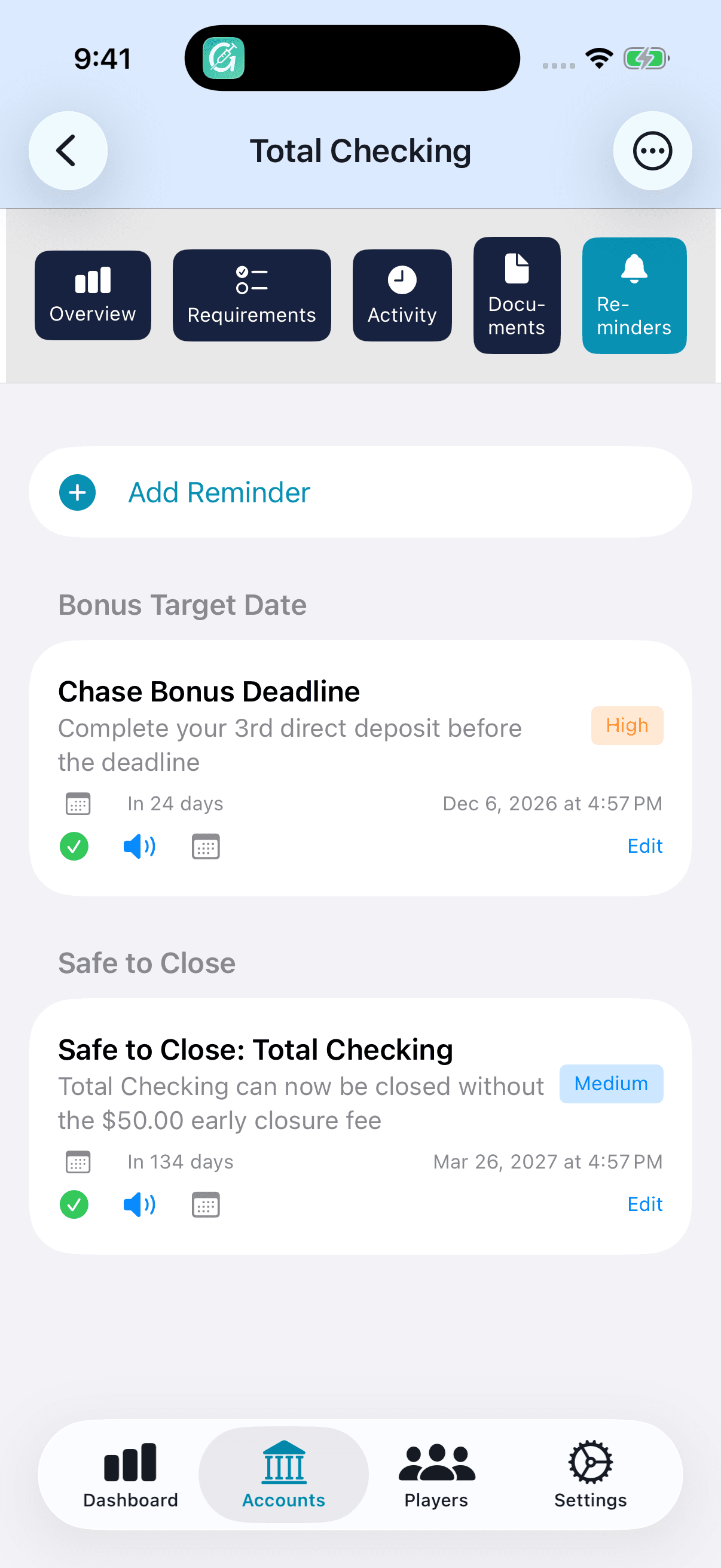
Partners often run the same offers a few months apart. Players keep each person's accounts, totals, and eligibility separate while the dashboard rolls everything up.
Players
Create a player for each household member. Every account belongs to one, and portfolios, reports, and filters follow suit.
Account groups
Track relationship bonuses that depend on holding checking and savings together, with requirements shared across the group.
Business accounts
Business checking and savings with their own fields, kept distinct from personal accounts in filters and reports.
Search and filters
Filter by player, bank, status, or progress, and save the views you use most.
Churn tracking
Wait periods after closure or payout, eligibility dates, and a link from the reopened account back to the original.
Documents and security
A vault for the paperwork.
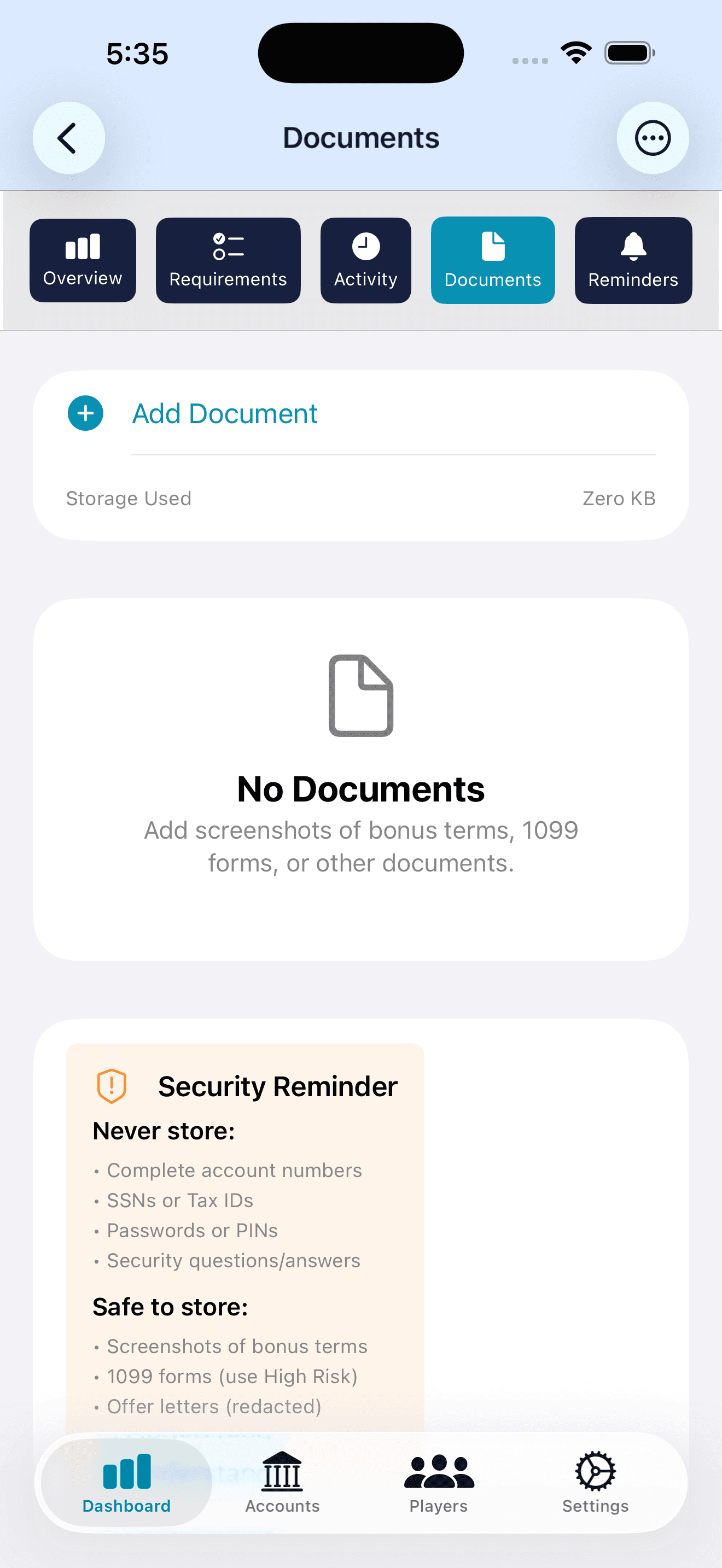
Offer terms disappear from bank websites. Keep a copy, encrypted, next to the account it belongs to.
AES-256-GCM encryption
Every attachment is encrypted before it touches disk, with keys held in the Keychain and complete file protection while the device is locked.
Biometric gate
Statements, 1099s, and other high-risk documents ask for Face ID or Touch ID before they open. The whole app can lock too.
On-device offer scanning
Apple's Vision framework reads a screenshot of the offer page on your device and pre-fills the account. The image never leaves your phone.
Encrypted in the cloud
With iCloud sync on, documents stay encrypted in transit and at rest; the key travels through your iCloud Keychain, not through us.
Data in, data out
Your records, in formats you can keep.
BonusLedger is a tool, not a silo. Bring history in from a spreadsheet, take it out as CSV or PDF, and keep an encrypted backup you control.
Guided CSV import
Seven-step wizard with templates, flexible column mapping, previews, and row-level validation before anything is written.
PDF reports
One account, one player's portfolio, or the whole system, with optional attachments included.
1099 and tax summary
Per-account, per-year 1099 records with deadline warnings and a cross-year tax summary that always reports gross bonus income.
Encrypted backup file
A single passphrase-protected .blbackup file with every record and document, saved anywhere in Files and restorable on a new device.
Optional iCloud sync
Off by default. When on, data moves between your iPhone, iPad, and Mac through your private iCloud database.
Insights
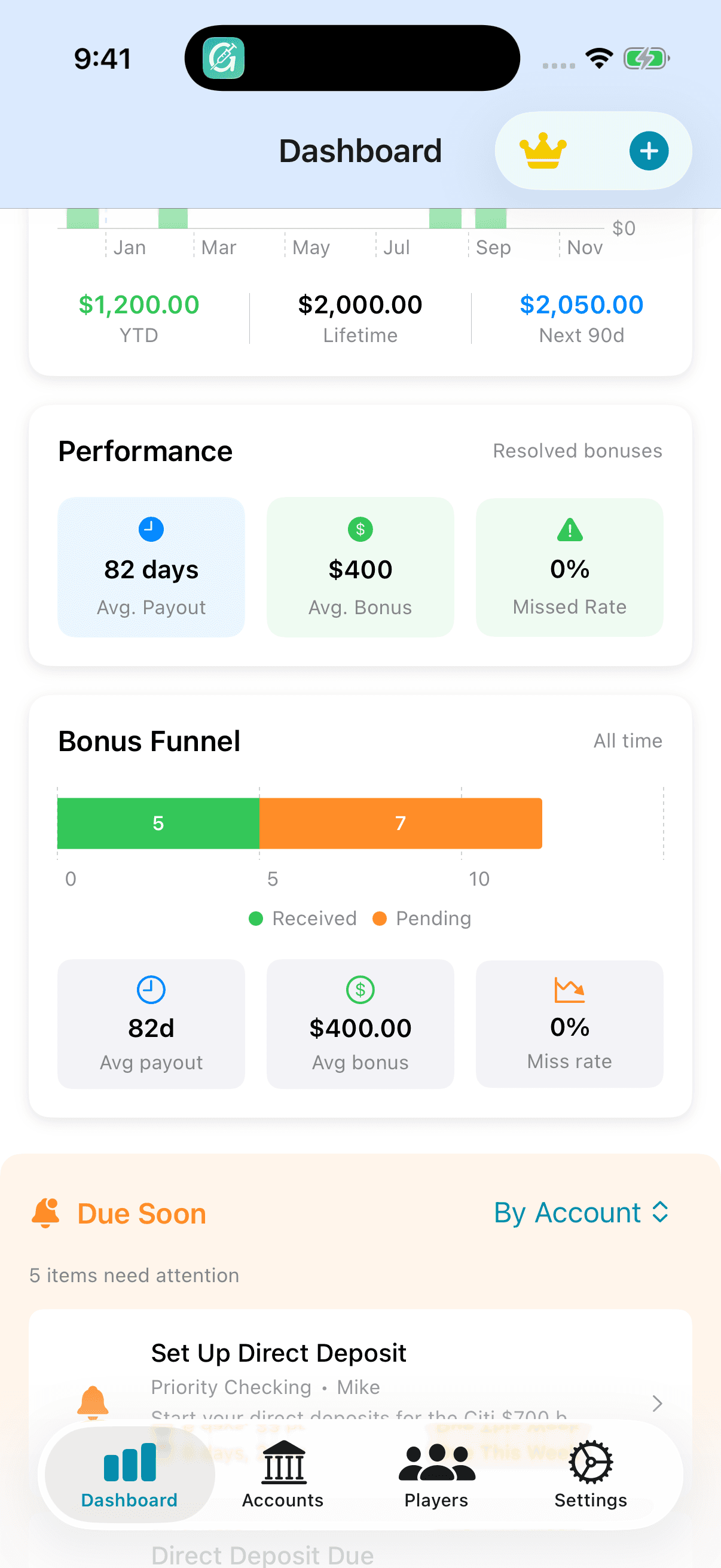
Earnings over time, pending versus received, at-risk requirements, and simple forecasts, all computed on device.
And the small things
Details that make daily use pleasant.
- Dashboard with progress overview, due soon, status cards, and recent activity
- Balance history snapshots per account
- Light and dark appearance
- What's New notes after each update
- In-app user guide
- Delete All Data with confirmation, including cloud data
- Sample data for trying the app without typing
- Promo and unlock codes for beta testers
- Keyboard-friendly on Mac and iPad
- No ads, no trackers, no third-party SDKs beyond anonymous analytics
- Works fully offline
- Universal purchase across iPhone, iPad, and Mac
Start your ledger today.
Free for your first account. One $14.99 purchase unlocks everything on iPhone, iPad, and Mac.
Requires iOS 17 or later, iPadOS 17 or later, or macOS 14 Sonoma or later.